Sylvia Martinez was our featured guest on the day during our Summer Learning Institute that was dedicated to project based learning. Sylvia really helped us push the needle and advance the conversation regarding the relevance of project based learning in a content focused, college preparatory experience like the one that exists at our school
A special thank you to our student interns for the week, Angelica Ortiz and Sam Cecil, for managing the video recordings and live streaming.
Friday, June 18, 2010


Thursday, June 17, 2010
"An Invitation to Tell Digital Stories" with Wes Fryer
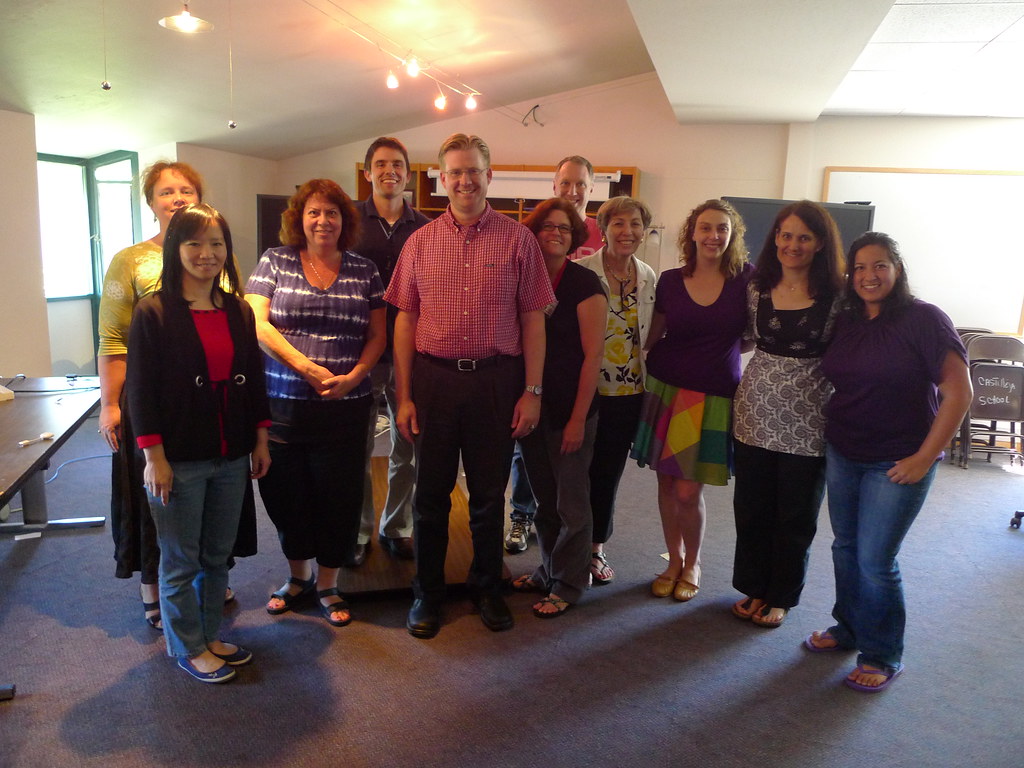
I was really happy that we pushed our faculty to create something very raw with a limited amount of time. So often times in schools we only share our very best pieces after a considerable amount of time. This type of "rapid prototyping" instructional design encourages regular improvement versus delayed perfection.
The recording of Wes' presentation is embedded below. A special thank you to our student interns for the week, Sam Cecil and Angelica Ortiz, for handling the live streaming and video archiving of our SLI speakers.
Click here to subscribe to all four of our Summer Learning Institute featured guest (Helen Barrett, Sylvia Martinez, Gary Stager, and Wes Fryer) videos in iTunes.
Wednesday, June 16, 2010
Gary Stager at Castilleja School's 2010 Summer Learning Institute
Last week we offered a unique professional development opportunity for our school's faculty and staff in the form of a "Summer Learning Institute." Tuesday featured a deep dive into the world of portfolio learning with Dr. Helen Barrett. On Wednesday we studied project based learning with Sylvia Martinez. On Thursday we were joined by Dr. Gary Stager to discuss laptop learning and on Friday we wrapped the week up with an immersive digital storytelling experience with Wes Fryer. This superstar line-up of outside facilitators, combined with an incredibly motivated and eager group of faculty from my school, yielded a special learning experience. I hope to reflect more on the experience here and share the instructional design that we used throughout the week-in many ways I think this week was a really good model for summer professional development.
I'm slowly getting all of the video from our presenters processed and posted (thanks to our student interns Angelica Ortiz and Sam Cecil for doing all of the video work!) Embedded below is Gary's session on laptop learning. The remaining presentations will be posted over the course of the next week. Enjoy!
I'm slowly getting all of the video from our presenters processed and posted (thanks to our student interns Angelica Ortiz and Sam Cecil for doing all of the video work!) Embedded below is Gary's session on laptop learning. The remaining presentations will be posted over the course of the next week. Enjoy!
Saturday, June 12, 2010
Making Stuff - one teacher's perspective
In our Summer Learning Institute professional development session on Friday we had the good fortune of taking a deep dive into the world of digital storytelling with Wes Fryer. After a 70 minute presentation by Wes on the topic he gave us an invitation to create our own personal digital stories during the balance of the morning and early afternoon. Our teachers were essentially tasked to create a VERY rough five photo digital story in about 100 minutes time. I was BLOWN away by the diversity of projects that people shared to close out the day. I appreciated Wes' efforts to encourage us to focus on our own personal stories instead of making curricular connections. The curricular connections may develop in a much more powerful way now that everyone has experienced the power of this process.
Anyway, here is a digital story that caught my eye (we had about 10 teachers share their stories-they all caught my eye actually-it was an incredibly diverse collection of personal stories). This was created by one of our middle school English teachers, Katie Sauvain, and it is a Voicethread titled, "Making Stuff...a History." Next year our students will be bringing their own laptops to school each day and Katie touches on the idea of creating a balance between consumption and creation.
Katie is thinking about starting a professional blog and I hope she does (encourage her to start a blog with a comment here!!!) If her digital story is any indication of the kinds of things she may share in her blog, then we have alot to look forward to!
If you are reading this via a news reader and you are unable to see this project, I highly recommend that you visit my blog to check out this story. Katie sums up some many feelings and thoughts that many others in our community share as we prepare to enter the world of one to one learning.
Anyway, here is a digital story that caught my eye (we had about 10 teachers share their stories-they all caught my eye actually-it was an incredibly diverse collection of personal stories). This was created by one of our middle school English teachers, Katie Sauvain, and it is a Voicethread titled, "Making Stuff...a History." Next year our students will be bringing their own laptops to school each day and Katie touches on the idea of creating a balance between consumption and creation.
Katie is thinking about starting a professional blog and I hope she does (encourage her to start a blog with a comment here!!!) If her digital story is any indication of the kinds of things she may share in her blog, then we have alot to look forward to!
If you are reading this via a news reader and you are unable to see this project, I highly recommend that you visit my blog to check out this story. Katie sums up some many feelings and thoughts that many others in our community share as we prepare to enter the world of one to one learning.

Thursday, June 03, 2010
Student Livescribe Pen Review

A special shout out and thank you goes to Paula for taking the time out to record this podcast. The podcast is about 9 minutes long...enjoy.
Click here to listen to the audio recording of our conversation or try the media player below.
Wednesday, May 19, 2010
The Evolution of the "Class Website"
A few of the teachers at my school are planning on rebuilding their "class website" throughout the upcoming summer in preparation for our student laptop learning program. I created this little sketch to outline how instructional websites have changed over the past 10 years. To me the biggest difference is who can contribute. In 2000 the class website was pretty much driven and managed by the teacher. In 2010 both the teacher AND students have the capacity to serve as curators of the site.
I'm hopeful that this proves to be a simple little graphic to help folks along as they plan out the different components and parts they'd like to build into their online learning spaces.
Click the image for a larger view:

Wednesday, May 12, 2010
WiMAX in Schools

Here is what this means for us:
-Our school will receive a WiMAX modem for campus coverage (I think coverage might extend well beyond our campus using the WiMAX modem, but we'll find out more about this when we start using it). This means that standard wireless 802.11 b/g (not sure about "n") devices like laptops, iPads, etc, will be able to connect to this modem from anywhere on campus without the need for a hardware wireless WiMAX adapter. WiMAX offers true broadband data transfer, with speeds running between 3-7 Mbps and bursts up to 10 Mbps. We'll be able to use the modem and USB adapters free of charge for three years. Setting the WiMAX modem up is supposed to be super easy-they're sending it to our school pre-configured and ready to go out of the box. This system will not be replacing our traditional LAN and WiFi system; it is simply being used as a compliment to what we already have.
-We will also receive as many USB adapters as we'd like for access to the WiMAX network in most any peninsula communities running from San Jose all the way up to San Francisco. This may be useful to students who are traveling for sports, teachers who don't want to continue paying Comcast for Internet access (like myself), and any students/families who are in financial need. I'm interested to see how students and teachers use it to go out into the community to collect data and work on projects. Their network coverage will be fairly limited for starters, but we do know that it will work in the peninsula communities like Palo Alto, Menlo Park, etc.
-What will our iPads be used for? I really don't know, but I'm interested to see what kind of creative uses our kids devise. Perhaps some will form an iPad band with multiple different musical instruments and maybe we'll make some available through our school library to check out as eReaders...who knows.
-Discovery Educator Network professional development - I'm really excited about this. We'll be able to build a custom professional development experience for interested faculty along with a DEN facilitator (hopefully Hal Davidson, but who knows). I have no idea when we'll do this, but I could see it providing a great Fall 2010 follow up to our Summer Learning Institute.
We should be receiving our campus WiMAX modem at some point before the school year is out...I'll be sharing updates on how well this is working throughout this project.
I'm really interested in pervasive data access that isn't dependent on physical location-perhaps wide area broadband systems like WiMAX will be part of such a pervasive broadband wireless solution. I'm definitely looking forward to learning more about how this technology can help school learning communities achieve their goals.
A special thank you is in order to ACE and Clearwire for making this opportunity available to our school community!
Friday, May 07, 2010
Why the iPad Matters
I'd like to start out by saying I'm not an iPad owner and I'm a HUGE critic of the tightly closed platform. However, this category of computing devices that offers a multi-touch interface bundled in a highly portable form factor with great battery life truly is a game changer.
Here are the reasons why...
First and foremost, the iPad is making content and information more accessible to folks on the fringe. Don't believe it? Check out the following two videos. The first is of a 99 year old woman who has been unable to read books due to vision problems - this changed recently when she read a book on her iPad-I'm guessing the brightly lit screen along with the ability to customize the font size helped make this possible. The second video is from a toddler interacting with an iPad - the intuitive and natural touch interface is clearly increasing the accessibility of this platform to very young children.
The iPad is changing our concept of the book. Instead of simply reading a book, we can now become part of the story. Below is the highly interactive Alice for the iPad application. Imagine other stories coming to life with a format like this.
Finally, the iPad is making musical instruments more accessible. Check out these two applications-these are just FIRST GEN apps! What will gen 2, 3, 4 and 5 music apps look like?
Squiggle from Henry Chu on Vimeo.
Here are the reasons why...
First and foremost, the iPad is making content and information more accessible to folks on the fringe. Don't believe it? Check out the following two videos. The first is of a 99 year old woman who has been unable to read books due to vision problems - this changed recently when she read a book on her iPad-I'm guessing the brightly lit screen along with the ability to customize the font size helped make this possible. The second video is from a toddler interacting with an iPad - the intuitive and natural touch interface is clearly increasing the accessibility of this platform to very young children.
The iPad is changing our concept of the book. Instead of simply reading a book, we can now become part of the story. Below is the highly interactive Alice for the iPad application. Imagine other stories coming to life with a format like this.
Finally, the iPad is making musical instruments more accessible. Check out these two applications-these are just FIRST GEN apps! What will gen 2, 3, 4 and 5 music apps look like?
Squiggle from Henry Chu on Vimeo.
Friday, April 30, 2010
Mitch Resnick Talk at Stanford
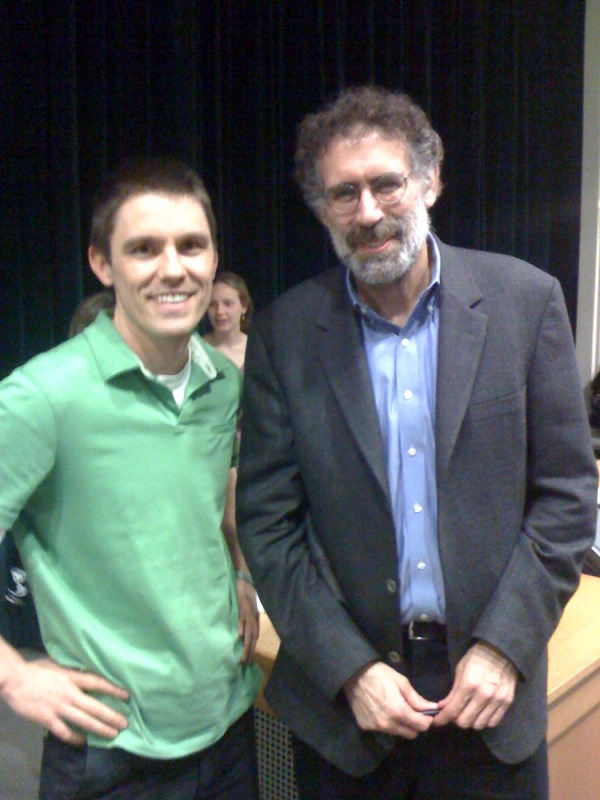
Today I stopped over to Stanford to see Mitch give an hour long talk with Q/A on the development of the Scratch platform and eco-system. Resnick and his team of colleagues in the Media Lab have a simple philosophy behind the scratch multi-media programming and design environment, a platform that is targeted toward youth in the age range of 8-15 - they want to build a platform that empowers this age group to design and CREATE in the midst of a social, collaborative online community. He told examples of inspiring youth Scratch developers, like MyRedNeptune, who creates sprites for emerging multi-media developers to use in their scratch applications. He talked about a community member who creates anime stories and went so far as to crowd-source the art work for some of the characters in one of her.
I was intrigued to hear Resnick finish his talk with ideas on future directions for the platform. His team is investigating how they'll move the Scratch to the cloud to foster even more collaboration...imagine being able to design and share Scratch projects directly through the browser. The future looks bright for this powerful multi-media authoring platform.
A few other highlights and points of interest from today's talk:
- Mitch and his Media Lab team give scratch workshops for students. One of the ways they evaluate their workshops is by the "diversity of student projects" that they see youth creating in the session. I LOVE this evaluation criteria and hope to apply it to upcoming projects that I work on with students and teachers.
- "Scratch was designed to make tinkering accessible, projects more meaningful and personal, and the entire process more social. It also encourages students to think creatively, reason systematically, and to work collaboratively." Great food for thought when building powerful learning design.
- Scratch is all about giving youth the opportunity to create their own media instead of simply being consumers of media.
Mark your calendars for the following opportunities to learn more about scratch:
May 22nd, 2010: International "Scratch Day"
August 11-14: Scratch Conference
A special shout-out goes to colleague extraordinaire, Heidi Chang, for keying me into this event via an email earlier this week. I'd be kicking myself if I didn't attend this great learning opportunity-thanks, Heidi!
Wednesday, April 21, 2010
Global Map of Website Filtering and Censorship
What do you block? Add your school to this collaborative map started by Will Richardson. I was proud to put a pin on the map for our school, which does not censor websites for our community members. I was also quite pleased to see that there are many other schools around the world that protect and value open access to websites for their learning community. I submit that those schools who continue to censor and filter will increasingly lose their relevance in the lives of their youth. Are you a school that blocks heavily? Why? Will you continue to do this indefinitely? What value does censorship add? What are the opportunity costs of continued website censorship? Who is making the decisions?
Take a look at the map. While you are at it, add your school.
View Owen J. Roberts SD in a larger map
Take a look at the map. While you are at it, add your school.
View Owen J. Roberts SD in a larger map
Subscribe to:
Posts (Atom)