Saturday, December 19, 2009

My Year in Photos & Videos

As a way to reflect on my year on both a professional and personal level, I went ahead and pulled interesting photos and videos that I posted online during 2009. Where ever you happen to be in the world, I hope you and your family have a most happy start to the New Year! Thank you for taking the time to read my blog this past year.

January 2009
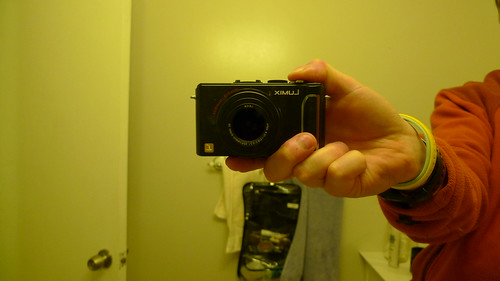
I started out with the best intentions of fully participating in the 365 Photo project (eg-you take a picture a day, post it online, and share it with the various 365 photo groups on flickr). I did make it nearly 100 days. However, I found that I simply couldn't keep up with this over time. Not even this shiny new Panasonic Lumix camera could keep me in the project!


February 2009
Over my February break Erin and I visited with my sister and family while they were on vacation in Park City, Utah. Here is a short little video of my cute little nephew, Jack:


March 2009
This is one of my most viewed flickr photos, which I find kind of bizarre. In this photo you'll see a 10.1" HP Netbook connected to a large display, keyboard, and mouse. This was part of some experimentation that we did with netbooks at my school. This was important work as netbooks will play an important role in our school's laptop program which will launch at the start of the 2010-2011 school year.


April 2009
This turned out to be photo number 103 in my effort to participate in the 365 Photo project. This is my cat, Bucky, and I caught him in the backyard one day sitting in this pot.


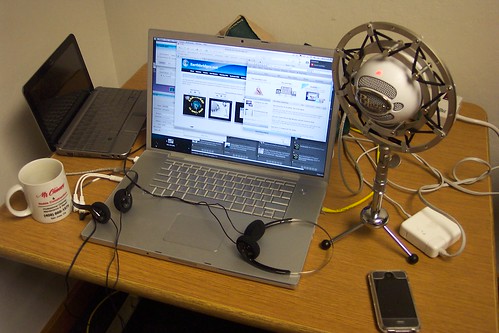
Also in April, the Earthbridges team completed another very successful 24 Hour Live broadcast on Earth Day. Below is a photo of my webcasting setup taken after the 24 hour webcast was over. Hover over the photo to see the "anatomy of a webcast":


May 2009
Erin and I visited Yosemite National Park for our very first time. Here is a short little video of our hike to the top of Half Dome:


Yosemite 2009 from Matt Montagne on Vimeo.

June 2009
Our school transitioned away from Firstclass to the much more powerful, flexible, useful, accessible, user-friendly, relevant, standards-compliant, and collaborative (oh, and did I mention FREE) Google Apps for Education platform. As luck would have it, our neighbor, a google engineer, was moving out at the same time as our transition and sold this cool lamp to me. It is now proudly on display office desk.


July 2009
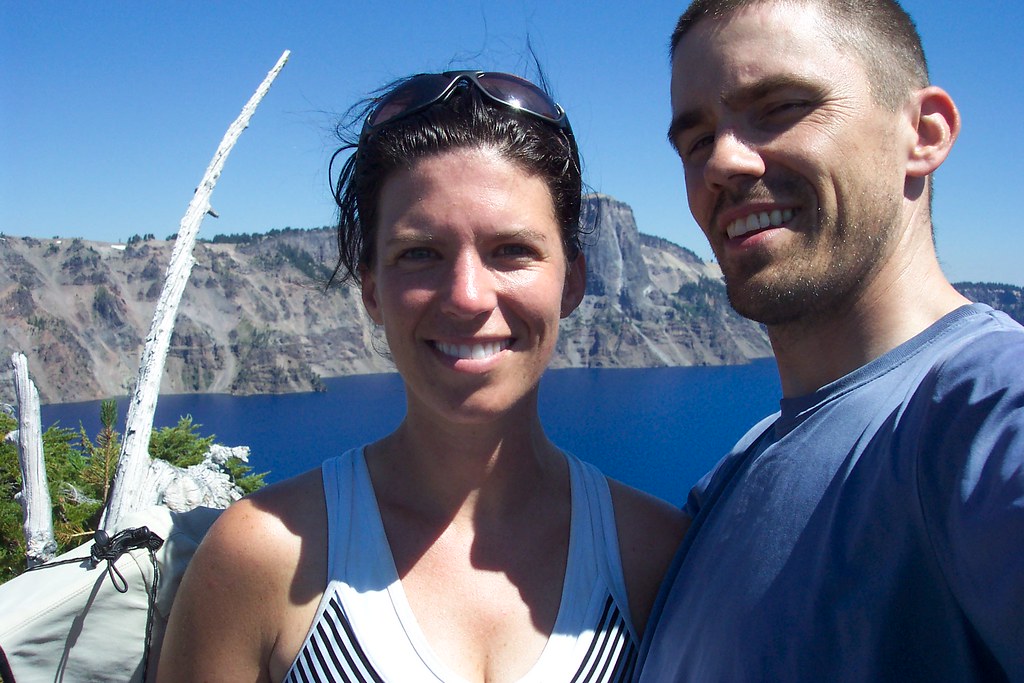
Erin and I went on a fairly epic car camping trip up the California coast into Oregon, over to Crater Lake, and then down through Lassen Volcanic National Park in California. Here is a photograph of Erin and I standing on the top of Wizard Island, which is a volcano in the middle of Crater Lake.


August 2009
August was a busy month for me. I was lucky enough to travel out to the Google Teacher academy with my teacher buddy here in the Bay Area, Derrall Garrison. Below is the video that I submitted as part of the Google Teacher Academy application process:


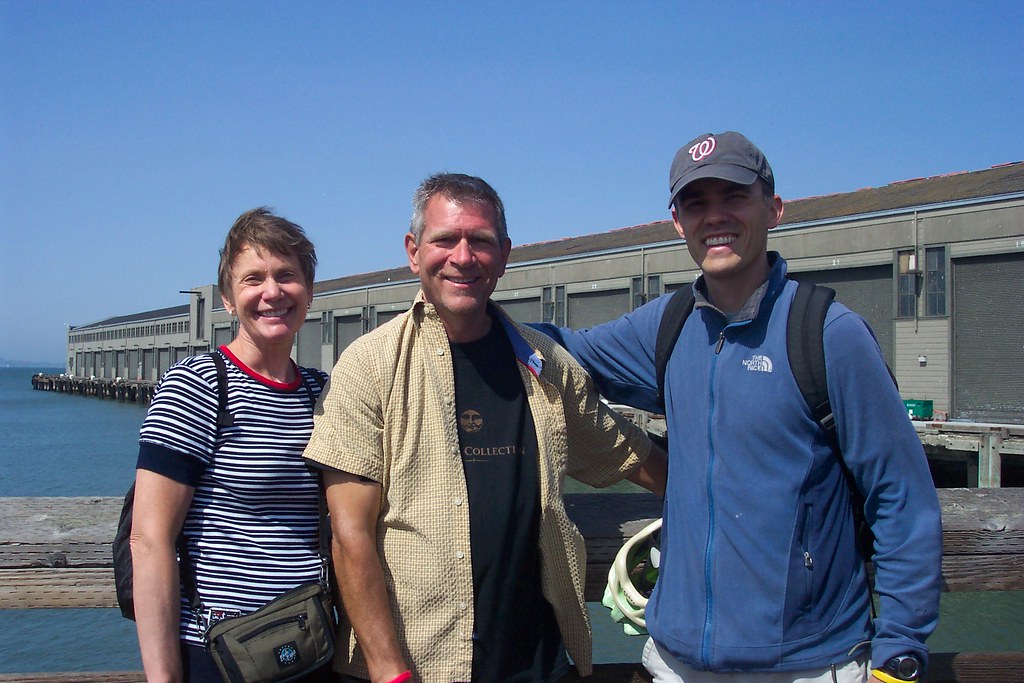
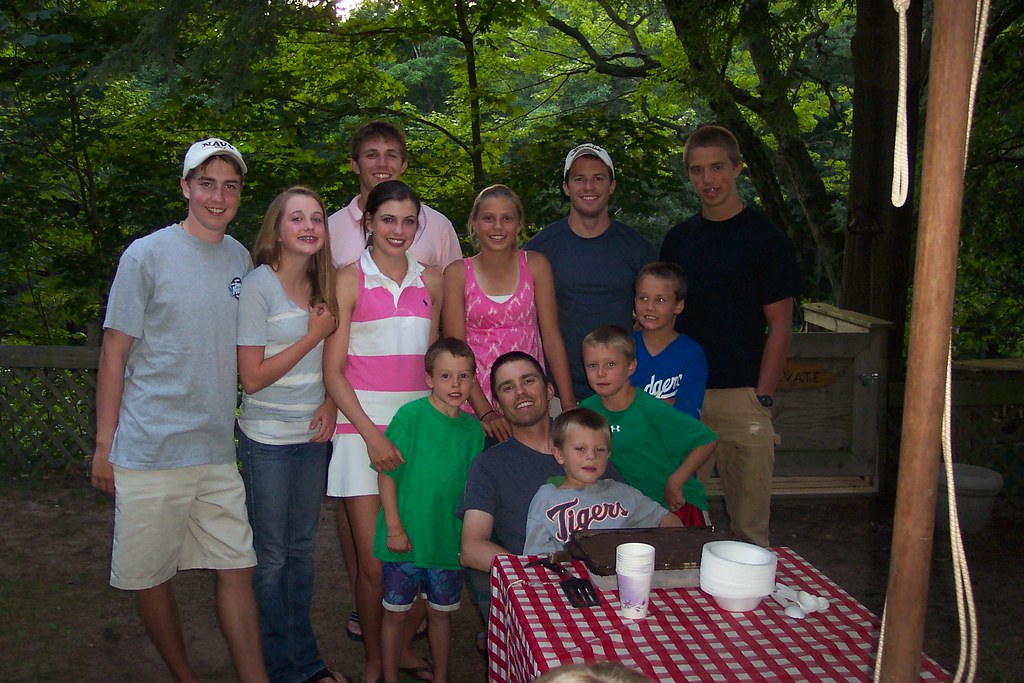
My former colleague and master math teacher, Joe Georgeson, and his wife, Linda, visited San Francisco for a week in August. I was able to shoot up to the city to spend the afternoon with them. Following seeing Joe and Linda, I flew to Michigan to spend time with my family. It was great celebrating my birthday with so many of my nieces, nephews, family members, and friends.


Celebrating my birthday with my nieces, nephews, and god-child in Ludington, MI:


September 2009
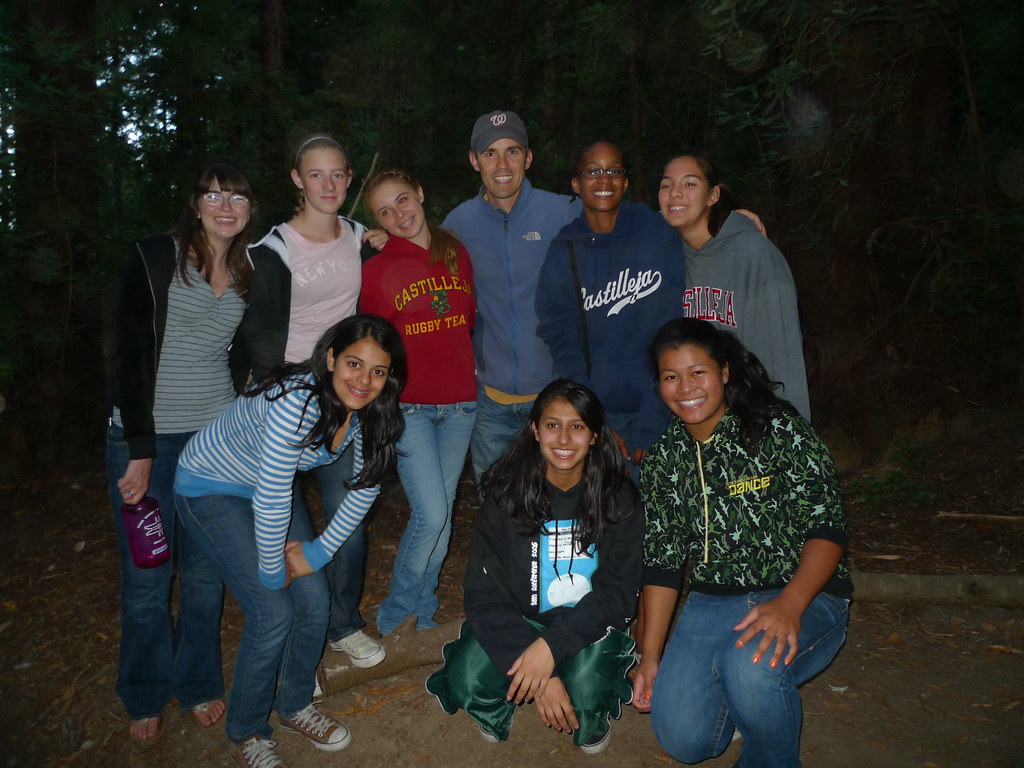
I attended the sophomore retreat up in the Santa Cruz mountains with my most excellent group of advisees:


October 2009
I had the good fortune to attend an outstanding conference here in the Bay Area at the Nueva School. The conference was stacked with fantastic presenters and learning opportunities. Here is a photo of a session I attended with John Seeley Brown:


November 2009
This is a photo of a co-worker of mine, Adam Contois. Together we were guest "Time-Clock" presenters for a November weekly high school meeting. The "Time Clock" is basically a five minute talk that serves as a fun way to wrap up this student assembly. We created a short little talk with pictures on the "Myths of the Technology Department." This is one of the photos that we shared.
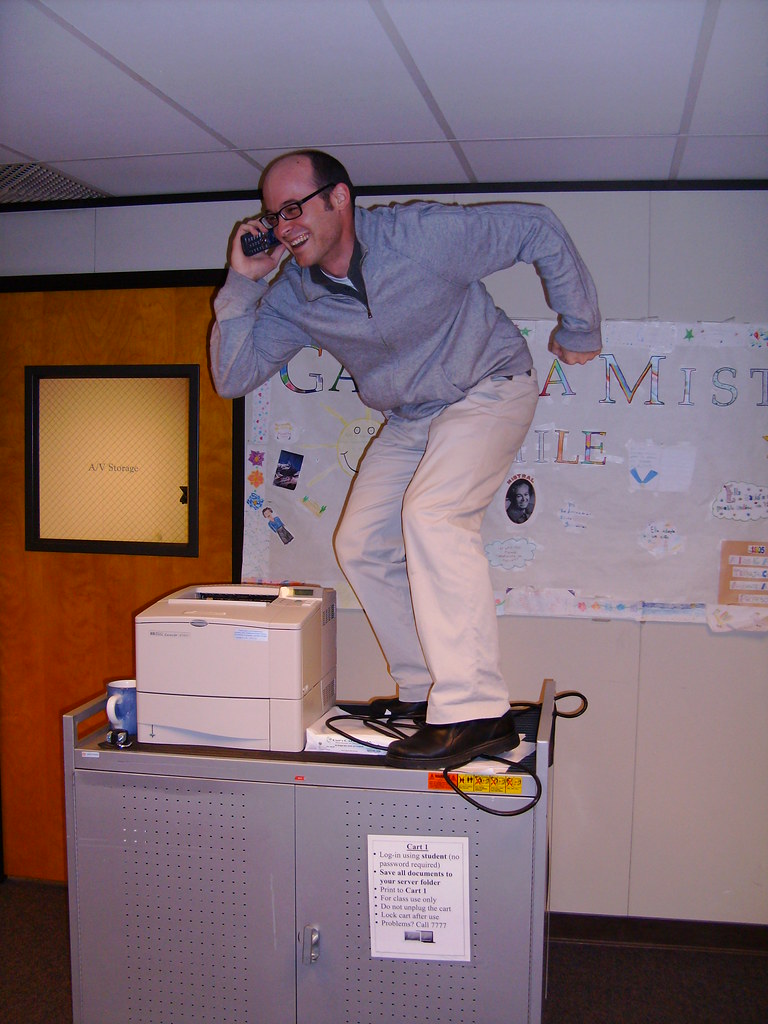


December 2009
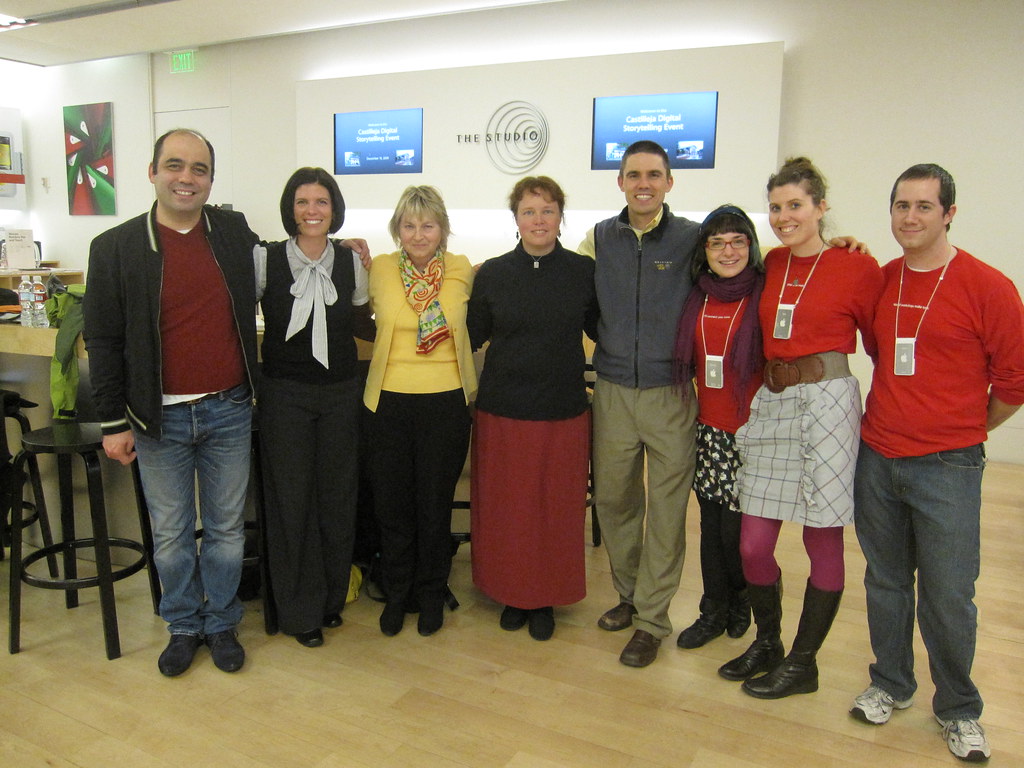
A small group of faculty at my school participated in a series of three workshops with Apple on the topic of "Digital Storytelling." For our final session we met at the Apple Store on University Avenue in Palo Alto and shared our projects. 'Twas great fun.

A Culture of Innovation

I read an outstanding blog post yesterday titled, "50 Ways to Foster a Culture of Innovation." This is well worth the 10 minutes of your time to read. Pockets of innovation exist in every organization to one extent or another, but the real challenge, as I see it, is building a culture that supports systemic innovation.

The most compelling of these 50 for me are italicized below. As a self proclaimed "Fire-Ready-Aim" type, these will come as no surprise. Commentary in orange:

2. Wherever you can, whenever you can, always drive fear out of the workplace. Fear is "Public Enemy #1" of an innovative culture. Couldn't agree more...nothing instills a sense of paralysis more than fear in an organization. Fear needs to be rooted out at all costs.
3. Have more fun. If you're not having fun (or at least enjoying the process) something is off. Play, fun and a sense of exploration and discovery are key ingredients in the process of innovation. I think of the fun that these Google engineers had with a fresnel lens on the roof of their office building last year. One note: Sarcasm is the lowest, cheapest form of humor-don't confuse sarcasm for play and fun.
8. Help people broaden their perspective by creating diverse teams and rotating employees into new projects -- especially ones they are fascinated byLet's build structures and opportunities to get us out of our silos. And while we're at it, let's get rid of the silos (including the silos that are built into our electronic communications-EVERYONE in the organization needs to blog, reflect, and share). 
14. Embrace and celebrate failure. 50 to 70 per cent of all new product innovations fail at even the most successful companies. The main difference between companies who succeed at innovation and those who don't isn't their rate of success -- it's the fact that successful companies have a LOT of ideas, pilots, and product innovations in the pipeline.  Yes, yes, yes! We learn most from the process of making mistakes followed by a period of iteration. Celebrate the struggles!
15. Notice innovation efforts. Nurture them wherever they crop up. Reward them. Encourage risk taking and efforts to try new things. Don't do so in the annual review, but instead in simple little day to day gestures, compliments, and even comments on their reflective blog.
32. Avoid analysis paralysis. Chaotic action is preferable to orderly inaction. This is my personal favorite and speaks directly to my "Fire-ready-aim" mentality. To quote BJ Fogg, "Less talk, more action."
A key omission in this comprehensive list is fostering a community of learning and unlearning. If an organization is going to be effective in building systems that support innovation, then regular, ongoing, sustained learning needs to be cultivated. Alternately, the value of unlearning can't be highlighted enough. Just because we did something five years ago doesn't mean that same mode of operandi is relevant to a similar problem (or even the exact same problem).

Sunday, December 13, 2009

1:1 Laptop Learning at Our School Next Year

The 2010-2011 school year will be the first year that all students at my school will be required to bring a laptop to school each day. I'm excited about the model that we've selected because we are not mandating that students purchase a particular model nor are we mandating that they purchase software at this point. Students may use laptops that they already own, which is great as 60-70% of our students already own a laptop (see our 1:1 FAQ doc for the complete details on our plan-we also have some of our work posted at our 1:1 planning site).

The model that we selected gives individuals the element of choice, which I think will lead to some innovativation in and of itself. For example, some kid might choose to purchase a low cost netbook, which leaves extra money available to purchase an eReader and an inexpensive video camera. It also prevents us from locking into a particular platform and model so that when a new innovation comes out (eg, the apple tablet/eReader), we're able to consider integrating this new technology.

A thread about 1:1 learning recently circulated around the California Independent Schools Listserve (of which I'm not a member) and our head of school, Joan Lonergan, responded to a question from one school leader about our 1:1 learning plans. Joan shared her reply with me and I thought she absolutely hit the nail on the head in her description of our 1:1 learning model that we'll be deploying next year. So I asked Joan if I could republish her excellent work in this space and she obliged. Joan's answers follow and any comments that I added are  highlighted below in orange.
 
Q: Do you have any WRITTEN policies I could review? Contracts with parents?

A: None. We have said we are initiating a 1:1 device program, issued some minimum specs that are desirable for all devices to be used in classes, and said we will support both Macs and PCs on minor repairs in school and provide low end loaners while families take care of major repairs. We have predominantly Apple platform here and an Apple store downtown so we think this will work. We already have a large majority of our students bringing computers of some sort to school with no issues about service, etc. We are now looking at infrastructure issues to make sure we have wireless and electrical capacity campus wide.

Q: What to do is computer is lost, stolen or broken?
A: We have loaners (for loaners we are using low cost, yet powerful HP 5101 10.1" Netbook computers running the Ubuntu Netbook remix-all software is free and open source)

Q: Who purchases the computer? 
A: families independently, not through school

Q: Controls on what is downloaded on the computer?
A: We have a minimum expectation of software and applications should be on all student computers, but we are making a very conscious effort to use as much open source software as possible.

Q: Anything else you considered as you made this decision?? 
A: We have considered every option to be a 1:1 school and opted for the easiest for us and the least restrictive for our families. We are piloting this second semester so will have more to share in June. Matt Montagne is our Academic Tech person whom I have copied. You might want to touch base with him in a few months.

Sunday, December 06, 2009

Digital Storytelling Workshop Showcase at the Apple Store Palo Alto

I'm pleased that six other teachers and myself recently participated in a series of three workshops on the topic of movie making/digital storytelling. The goal of this series was to give all participants, each of whom has varying levels of experience with digital storytelling, the chance to go through the process of planning, producing, and then publishing a video of their choosing. This workshop series was facilitated by three outstanding creative consultants from the Apple Store-University Ave location in Palo Alto, California. This coming Thursday, December 10th, from 5:30-6:30 at the Apple Store in Palo Alto, the film makers who participated in this session will be sharing their finished pieces. If you are in the area, please stop by the Apple Store and join us for this event.

My video that I'll be sharing is embedded below. It is from our trip last spring to Yosemite National Park.


Yosemite 2009 from Matt Montagne on Vimeo.

Thursday, December 03, 2009

Authentic Audience & Students as Publishers

Colleague and US History teacher extraordinaire, Heather Pang, recently emailed a link to our school's academic council from a blog post by the Innovative Educator. The post is titled, "21st Century Educators don't say, "Hand it in." They say, "Publish it." This is a wonderful post on the value of students as content creators and publishers. I responded to Heather's email and the academic council with the copy below and decided it might be relevant to re-publish this email in this space.

Hop on over to the Innovative Educator's blog to leave comments and engage in the conversation centering around the topic of student publishing...

My email to Heather and our school's Academic Council: 

Thanks for sharing this article, Heather. I found it to be an interesting read. Audience is something that has long been discussed as an important element of learning design-long before the Internet came around.

Whether it is a group of students presenting to the global peacedot community, AP English students sharing their mixed media essays for a wide range of folks, student athletes performing in a game, sixth graders publishing their math thinking for others to evaluate, theater students putting on a production for the community, photography students publishing their work in an authentic space, or 8th graders in wellness reflecting on the eight elements of wellness (listen to Mandi's piece if you get the chance), audience certainly has a powerful influence."

Good stuff and again, thank you for sharing this piece.

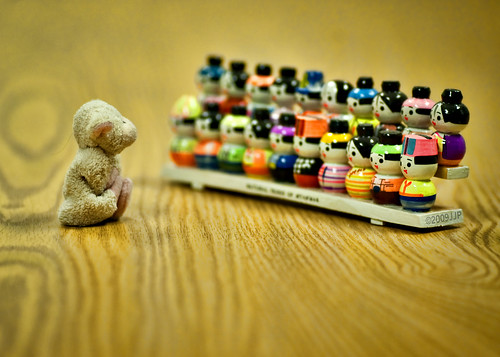
*photo courtesy of Tatooed JJ on flickr (Creative Commons license)

Monday, November 30, 2009

Download Scratch!!!!

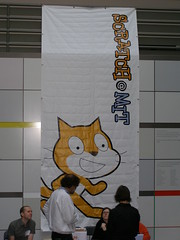
Boston Scratch MeetupImage by andresmh via Flickr
This is an email that I sent to a parent from my school here in the Bay Area. She is an educator at a nearby school and was looking for ideas on how to engage a particularly gifted 5th grade student. I immediately thought of Scratch and mentioned that I would follow up our hallway conversation with a few links and resources. So here is that email re-published in this space:

------------------------------------------------

Scratch is a programming (eg-computer science) platform developed by the good folks at MIT. They make it FREELY available for anyone to download, install and use. The thing that makes Scratch powerful is the online community. Students may submit projects to the community for others to comment on and improve upon. Alternately, students may download existing projects and review the source code and remix the source code. It is social constructivist learning at its best!

Here is the information on Scratch:

-Website Address: http://scratch.mit.edu
-Download from http://scratch.mit.edu/download


A few samples from my students in the past (this was an ungraded class...the students loved this stuff and engaged just for the fun of it):
Music Animation: http://scratch.mit.edu/projects/scratchbegginer911/133476 (I love this project...so much effort went into it)
Mario Experiment: http://scratch.mit.edu/projects/scratchbegginer911/122309 (he didn't get too far on this, but he put tons of work into it)
EtchaSketcha: http://scratch.mit.edu/projects/badgerfootball49/159376
Pong: http://scratch.mit.edu/projects/badgerfootball49/109197
Plans and Tanks: http://scratch.mit.edu/projects/badgerfootball49/138625
My Scratch Profile Site: http://scratch.mit.edu/users/mjmontagne

Guides on scratch: http://info.scratch.mit.edu/About_Scratch (scroll down and you'll see the guides...these might be useful print outs to get him started)

Support Materials, like videos, printable help cards, etc: http://info.scratch.mit.edu/Support (my strategy was to show the students videos and to set them off as soon as possible...they knew WAY more than I by the end of this class, which was fantastic).
Reblog this post [with Zemanta]

Saturday, November 28, 2009

Digital Down Low 2009 Holiday Gift Suggestions

Snowflake Gift Wrap
This post contains a few suggestions for holiday gift ideas for teens (I'm trying to include some different ideas beyond iPods, gaming consoles, computer games, etc). You'll see that I don't reference any software at all - instead of purchasing software, I would advise that you consider making use of the many equally powerful, but free, open source options. Software can now be the most expensive portion of a computer purchase-so why not save your money for the cool items below?  Click here to view a listing of the many free and open source software titles that are available for Mac, Windows and Linux.

2009 Digital Down Low Educational Technology Gift Giving Suggesions for Teens: 
Livescribe Pen - This is a powerful, relatively low cost tool that may be quite useful for many students. The pen syncs audio with written notes that may be reviewed on a computer. The audio enhanced notes may also be shared at the Livescribe online community. We've been experimenting with the Livescribe Pen at Castilleja and I wrote about my initial thoughts back in October. Works with both Mac and Windows. Amazon offers the 4 GB pen for $186.


Flip Video Camcorder - I'm a fan of the Flip Ultra HD model, which records up to two hours of high definition video. This particular model comes with a rechargeable battery pack, but it also operates on two AA batteries as well. The ultra HD lists at $199 at the Flip site, but may be purchased online at Amazon for $152. The Sanyo Xacti HD camcorder is another similarly priced option.

Kindle or Nook eReader- I understand that the Nook from Barnes and Noble will not be shipping until early January, but it does have some tantalizing features. The one that I'm quite intrigued by is the ability to share books with friends (this is cool and mimics one of my favorite things about reading, which is lending out books with friends). I like the Kindle experience as well, but I'm disappointed in their highly locked down, proprietary book model. Kindle does have PC and iPhone apps which allow reading of purchased books on other devices, but I still find the Kindle to be a bit too closed.  I wrote about reading a book on my iPhone kindle app in December of 2008.


Netbook Computer - There are so many options to choose from in the netbook category. Enough, in fact, to make you dizzy. The HP 311 with an 11.6" screen and a six cell battery is definitely one to consider. With the six cell battery this laptop should be able to make it through an entire school day on a single charge. At 11.6", the screen size is a bit larger than the typical 10.1" screen on most netbooks these days. This particular configuration at Amazon features Windows 7, 2 Gigs of RAM, and a 250 GB hard disk for $480. While I like the HP stuff, I'm equally impressed by the Acer Aspire series and the Asus netbooks. Whatever your choice might be, consider upgrading to a six cell battery and 2 GB of RAM if possible.

Apple Macbook Laptop Computer - you can't go wrong with an Apple laptop.

Integrated USB Headset and Mic from Logitech - Great for skype calls, audio recording, etc.

Eye-Fi Geo SD Camera Storage Card - This card is designed to geotag your photos as you shoot them (ie-data regarding the specific location of each photo is added to the photo properties). It also supports wireless uploading of photos from your camera to your computer. It appears that this device works with both Mac and Windows, but I'm not totally certain. I have no personal experience with this product, but if it does everything as advertised, I'm eager to try it out. Check to make certain that your camera is compatible prior to purchasing.
Sony UX71 MP3 Voice Recorder - This is a great little recording tool. I'm a big fan of the fact that it records in the mp3 format. It also has an integrated USB port, which makes it really easy to transfer files to your computer. This is available at Amazon for less than $80.
A Flickr Pro Account - for $25 annually, this gives your teen unlimited photo storage at one of the best online photo storage spaces on the Internet. I love all the special interest groups that you can join to share your photos with as well. Picassa Web is another great service and offers 80 GB of storage for $20 annually.

What am I missing here? Please offer any other suggestions in the form of a comment.
Reblog this post [with Zemanta]

Friday, November 20, 2009

Our School's Educational Voicethread Network


My school recently created an educational Voicethread account for 250 users. Every time I use this platform with students I'm reminded of the power and potential of this space. The potential for collaboration, reflection, global connection, and knowledge building is HUGE with Voicethread.

Below is the copy of the email that I just sent out to our faculty about our network. I'm cross posting here in the event that this may be of use to anyone else who stumbles across this blog.

Dear Voicethread Fans,

We recently created an educational voicethread network for Casti. We're currently using this with a few students in 6th and 9th grade french classes. Voicethread is an effective platform for learning reflections, global connections, and student knowledge remixing. It also happens to be an incredibly easy application to use (yesterday we had the 6th graders up and running with their new accounts in French class after about 15 minutes).

If you are interested in creating learning design that utilizes this new space, please let me know.

See the links below for a few examples of how students and teachers are using voicethread in the classroom:

Wellness Wheel reflections

Trading cards that examine the role of various historical figures.

Book talks

Language learning - digital stories using newly acquired vocabulary

Math reviewcasts

Artist reflections

Global collaborative projects centering around a certain theme (in this case, the theme is "Earth Day")

Collaborative problem solving in math

Scientific Explanations - a teacher and a few of his students explain a few scientific principles from their grade 8 science class.

Wednesday, November 11, 2009

Veterans Day Thoughts


It is hard to believe that it has been nearly two years since Sheila Adams, Karen Olmstead, and Sonja Gonzalez and I facilitated a live webcast with Paul Goodyear, who was on the USS Oklahoma on December 7th, 1941 in Pearl Harbor. It was incredible having a live conversation with Paul - he has an incredible spirit and this was an experience I will never forget. The recorded audio is archived over at the Webcast Academy where the four of us learned the art of live web broadcasting. If you get the chance, listen to the conversation.

I would like to thank Paul and all of the men and women who have served the USA in our armed forces.

Peace.
Reblog this post [with Zemanta]

Counterpoint Monthy Article on Twitter

Mideast Iran Presidential Elections
The students at my school recently asked me to write an article on the difference between twitter and facebook for their monthly publication known as "Counterpoint Monthly." They are still working solely in the print world, so I'm reposting here so students and anyone else may leave comments.

Quiz - what do Iranian citizen journalists and famous people like Governor Arnold Schwarzenegger, Mr. Taffee and Paris Hilton all have in common? Answer - they all use Twitter, one of the fastest growing social networks on the Internet. I was asked by the CP Monthly Team to write an article on the differences between two of the most popular social networks right now, Twitter and Facebook. This is an often discussed topic in the blogosphere with a host of well written blog posts that address the main similarities and differences. Danah Boyd, who is a social media researcher for Microsoft, recently wrote a stellar post over at her blog that addresses this question. You may access Dr. Boyd's piece at http://bit.ly/1185Pd. Given Boyd's excellent article and the fact that many of you are already avid Facebook users, I thought I would focus my 600 words on Twitter. I certainly don't intend for this to be a sales pitch on why you should use Twitter because it isn't without fault and it isn't for everyone. Instead, I'd like to simply share a few stories of how Twitter has been used by people around the world and how I use it to connect with others who share my passions and interests.

Out of the box, Twitter might seem like it is nothing more than a platform for blabbering about our mundane daily occurrences. While I've seen some of this in my experience over the past two years using Twitter, I've also witnessed some incredibly powerful stories of collaboration, sharing and creativity. For example, Southern California residents used the platform earlier this fall to share information about the Loma wildfires. Consider what happened this past June with the reporting of the protests following Iran's hotly contested election. The government of Iran effectively shut down all modern media outlets and journalists. The traditional way of reporting the news was completely closed. Iranian citizens, however, armed with Twitter, mobile phones, extraordinary willpower and creativity, Tweeted the news of their struggle.  In a show of solidarity and as a means to confuse the government, people outside of Iran turned their profile pictures to the color of the opposition party (green) and changed their location to Tehran, Iran. As the government blocked Twitter access inside of the country, people inside and outside of Iran worked together to create proxy sites that circumvented the governmental filtering. The government eventually blocked these proxies, but new ones were built and shared so that the news reporting would continue via Twitter. The US State Department even asked Twitter to delay a planned network maintenance outage so that the citizen journalists inside of Iran could continue their work without interruption. This was an incredible story of global collaboration! It is hard to believe that all of this was facilitated by a small little company from San Francisco that built a software platform around the single simple question of, "What are you doing right now?"

Who do I connect with on Twitter? I primarily use Twitter as a way to collaborate and share with other teachers around the world who are interested in the intersection of technology and learning. We share links to interesting blog posts and ideas about clever teaching ideas. The concept of the the Gator Radio Experience project here at Castilleja is the direct result of my Twitter interactions with other educators. Many of these educators know a great deal more than I about the world of live Internet webcasting and were incredibly helpful in helping us launch this project. I also follow university professors, a few authors, individuals and organizations with a green slant, and of course the University of Wisconsin - Madison's mascot, Bucky Badger!

Before creating a Twitter account or an account on any other social media platform, please talk things over with your parents. I highly recommend that you have a conversation with your parents in which you agree upon acceptable and unacceptable uses of social networks. While these tools may be used in incredibly productive and meaningful ways, they certainly can come back to create problems for us in the future. Also, please know that Twitter and all other social networking sites have a minimum age requirement in their terms of service. This minimum age tends to be 13 years old and should be respected. Finally, remember the Golden Rule as you work, share and collaborate in these powerful online communities.

If you'd like to leave comments about this story or if you'd like to see additional resources and information about Twitter, visit my professional blog at http://bit.ly/mjmontagne.

Twitter Streams of Interest:
PeaceDot Project: http://twitter.com/peacedot
Gator Radio Experience: http://twitter.com/gator_radio
Bucky Badger: http://twitter.com/buckybadger
Mr. Montagne's Twitter Stream: http://twitter.com/mjmontagne
Reblog this post [with Zemanta]